- Published on
Configuring OpenCode to Work with the Latest Version of C#
3 min read- Authors

- Name
- Daniel Mackay
- @daniel_mackay
Introduction
OpenCode is an impressive open-source AI coding agent that brings agentic capabilities directly to your terminal and IDE. It's designed to help you build software faster and more efficiently while not being tied to any specific LLM provider.
One of OpenCode's powerful features is its built-in language servers for most popular programming languages. These servers provide the intelligence needed for the agent to understand your code. However, there is a limitation: the csharp language server included with OpenCode isn't always updated immediately, and there is currently no built-in mechanism to update these internal language servers manually.
For most developers, this isn't an issue. But if you are working with the absolute latest features of the C# language, you might hit a roadblock.
The Problem: C# 14 and the field Keyword
As of the time of writing this article, C# 14 is the latest version of C#, released in November 2025. It introduces several powerful features that streamline development, including the awesome field keyword for properties. The same holds for all new features introduced in C# 14.
If you are working with C# 14 and try to use the field keyword, you will likely encounter the following error in OpenCode:
Error [15:16] The name 'field' does not exist in the current context

When OpenCode encounters this error, it attempts to fix it. The agent will go on a "side quest" to diagnose the problem, suggesting various solutions such as:
- Updating the .NET SDK
- Configuring the
<LangVersion />in your project or solution file - Updating the C# tooling in VS Code
Unfortunately, this side quest will burn time, money, and tokens, and none of these options will actually resolve the issue because the root cause is the outdated built-in language server.
The Solution
I discussed this problem with Luke Parker who is a massive fan of OpenCode and contributor to the project.
He suggested installing an alternative, up-to-date C# Language Server that OpenCode can utilize.
I recommend the csharp-ls language server provided by razzmatazz, which stays current with the latest C# versions. You can find the repository here.
Prerequisites
- .NET SDK (supporting C# 14)
Installation
To install the language server, simply run the following command in your terminal:
dotnet tool install --global csharp-ls
Once installed, we can now use OpenCode to work with C# 14 without errors—and without the lengthy, token-burning side quests.
OpenCode will automatically detect the globally installed csharp-ls language server and use it instead of the built-in C# language server. No additional configuration is required—the tool takes precedence once it's available in your system PATH.
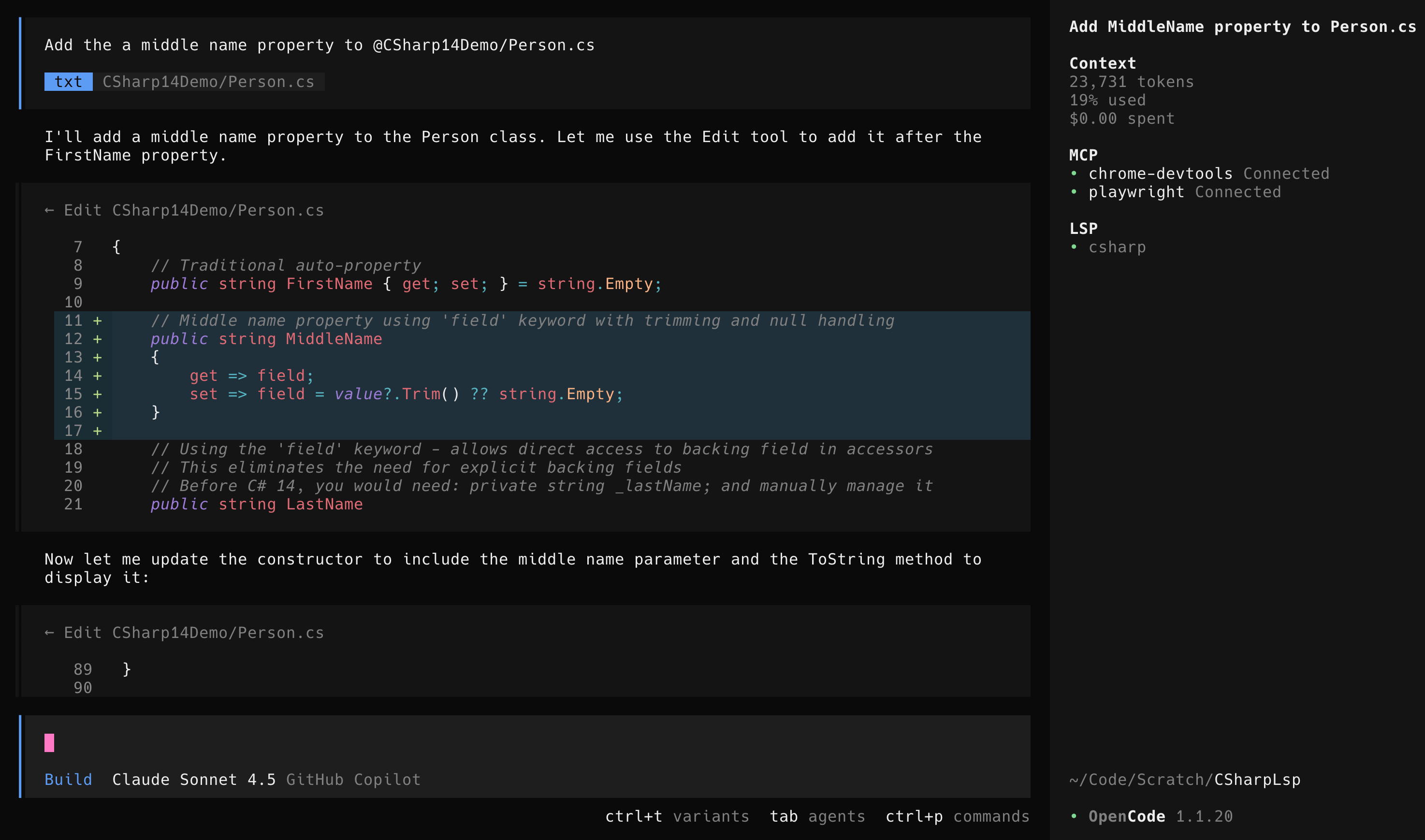
Figure: OpenCode working correctly with the field keyword after installing csharp-ls
Summary
Using the latest language features often requires ensuring your tooling is just as up-to-date. By installing csharp-ls, you can bridge the gap between OpenCode's built-in capabilities and the bleeding edge of C# development. This simple fix saves having to debug non-existent code issues and lets you focus on building great software.